

Video Playback
Introduction
Section titled “Introduction”The Vimond play service enables users to retrieve stream URLs for video playback.
API reference: Vimond Play Service API (Scalar). Compact index for agents: /openapi/play-service.llms.md. When requesting stream URLs for an asset, the play service performs a series of controls to verify the user’s access rights to the asset and selects the best possible stream based on the user’s entitlements and device information.
By utilizing the play service endpoint and its query parameters, you can overwrite the stream selection and specify additional information such as video protocol, content delivery manager, or requested quality.
Streams Filtering
Section titled “Streams Filtering”The play service API provides query parameters that allow clients to filter the desired stream or select a specific one. These query parameters can be used to customize the stream selection process according to the client’s requirements. Please see Play service API for additional details.
Control performed by the Play Service
Section titled “Control performed by the Play Service”The play service performs various checks to ensure proper access and entitlements. The diagram below illustrates the different checks executed by the play service:
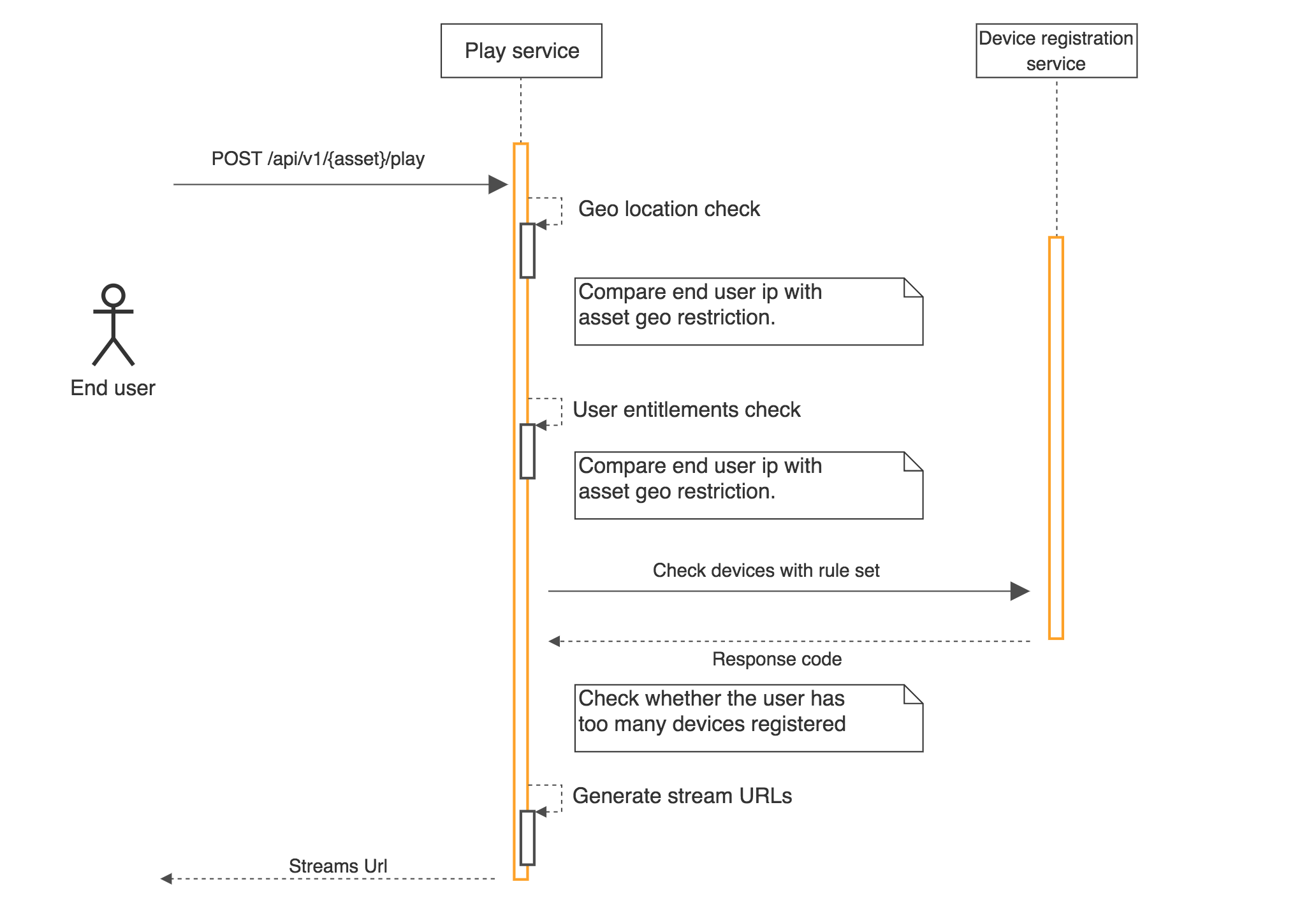
Special claims can be injected into the end-user JWT token used for authentication to bypass end-user limitations such as geoblocking or device number limitations. For example
{ ..., "https://vimond/geoblocking": {"bypass": true}, ...}These roles are intended for special users such as administrators or test users used by developers living abroad. They are not meant to be set on regular end-users. For a complete list of custom claims that can be used to bypass limitations in the Vimond platform, refer to the Reference: Bypass restrictions section in the documentation.
Play Flow diagram
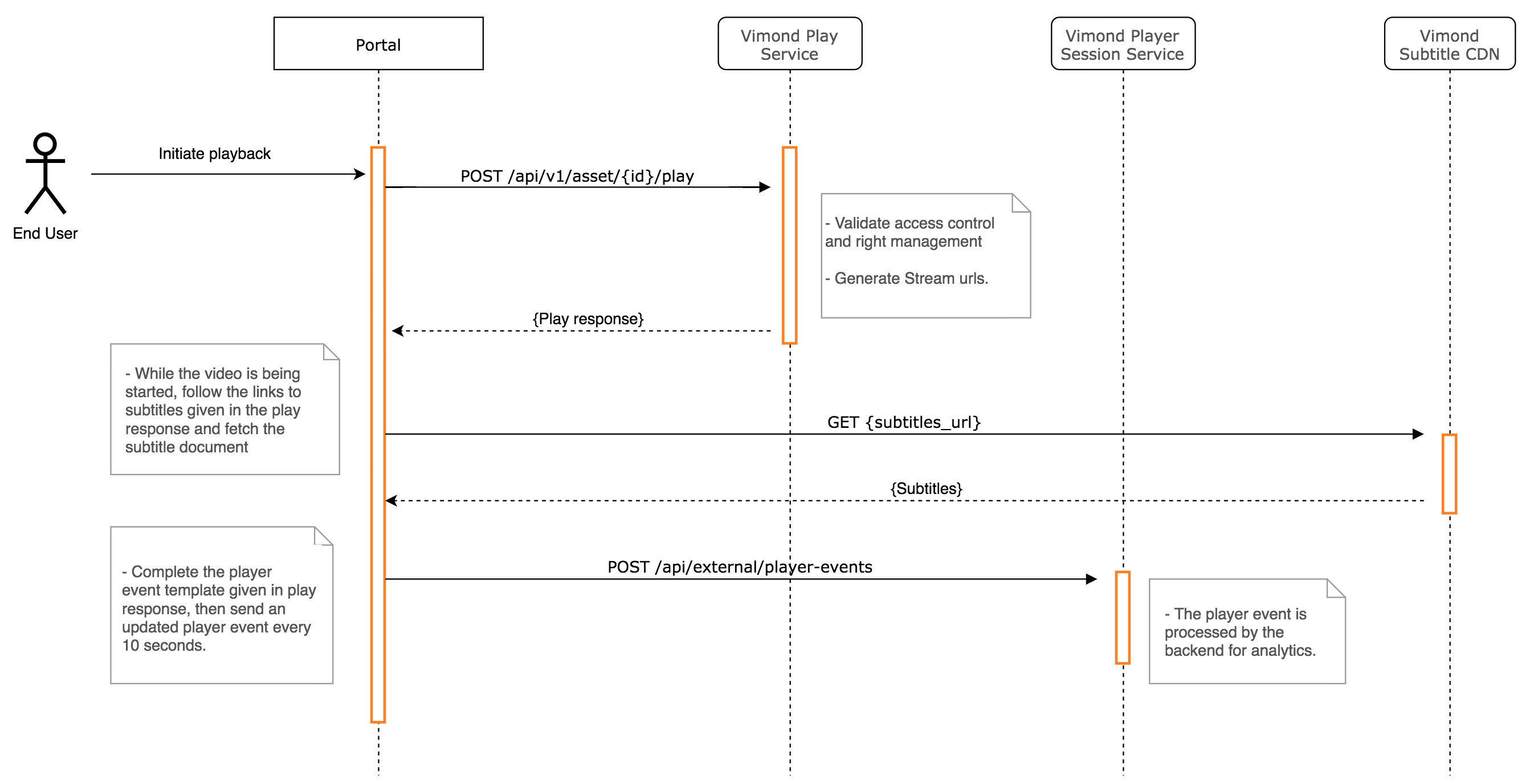
Section titled “Play Flow diagram”Retrieving a stream URL via a play call is just the first step in the entire play flow. After that, the client may need to make additional calls to fetch subtitles or obtain a valid DRM license key. Additionally, the client is expected to periodically send player events while playing the video, as they are important for features such as stream count and user viewing history.
Here is a simple sequence diagram that illustrates the video play flow:
Conclusion
Section titled “Conclusion”By following this guide and utilizing the Vimond API’s play service, developers can implement video playback with ease. The API provides the necessary functionalities to retrieve stream URLs, customize stream selection, and perform additional actions such as fetching subtitles and DRM license keys.